JVS Home Control
Turn any browser into a wall-mounted smart home control panel. Fully configured from the browser. No cloud required.
Your Dashboard, Your Way
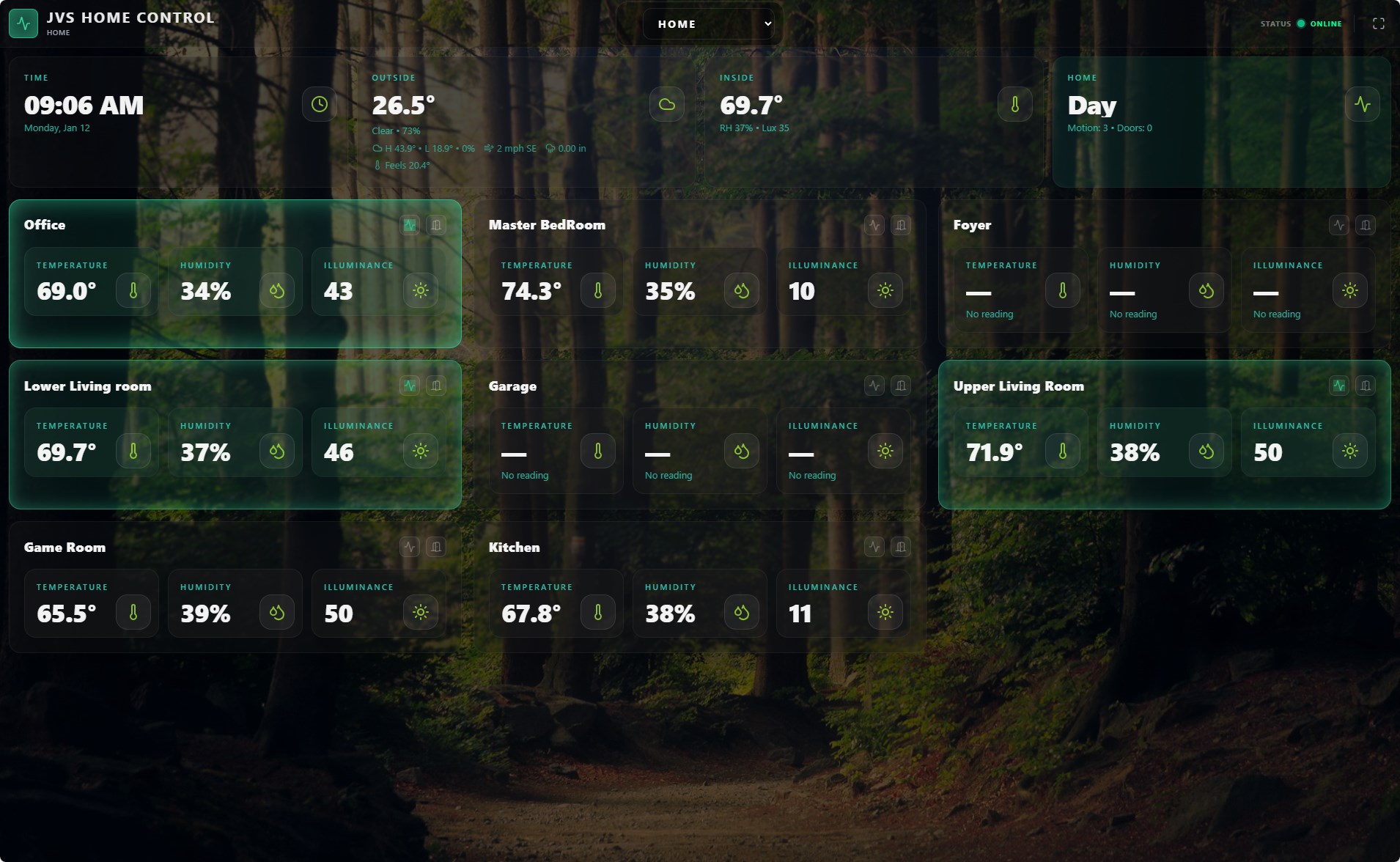
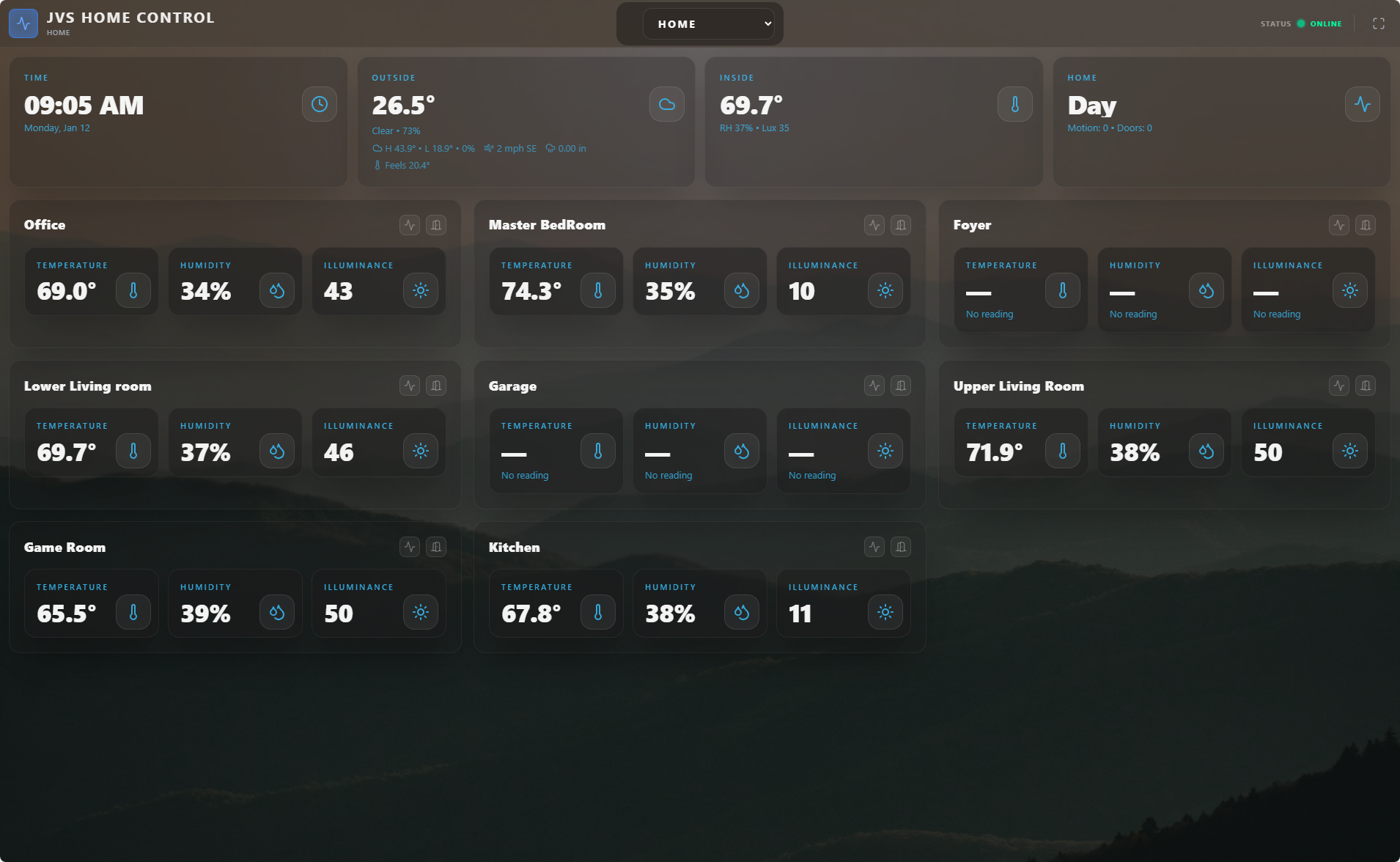
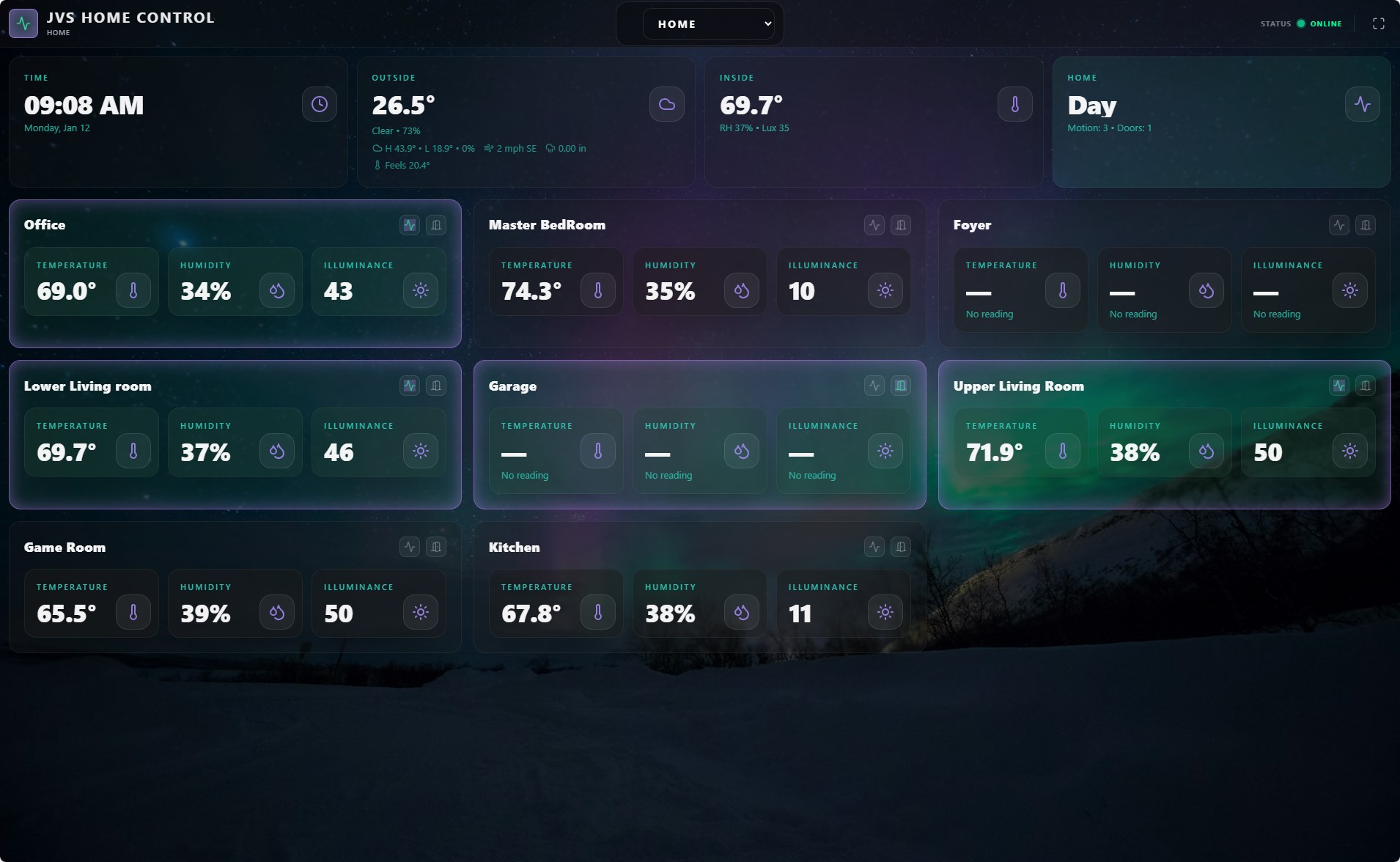
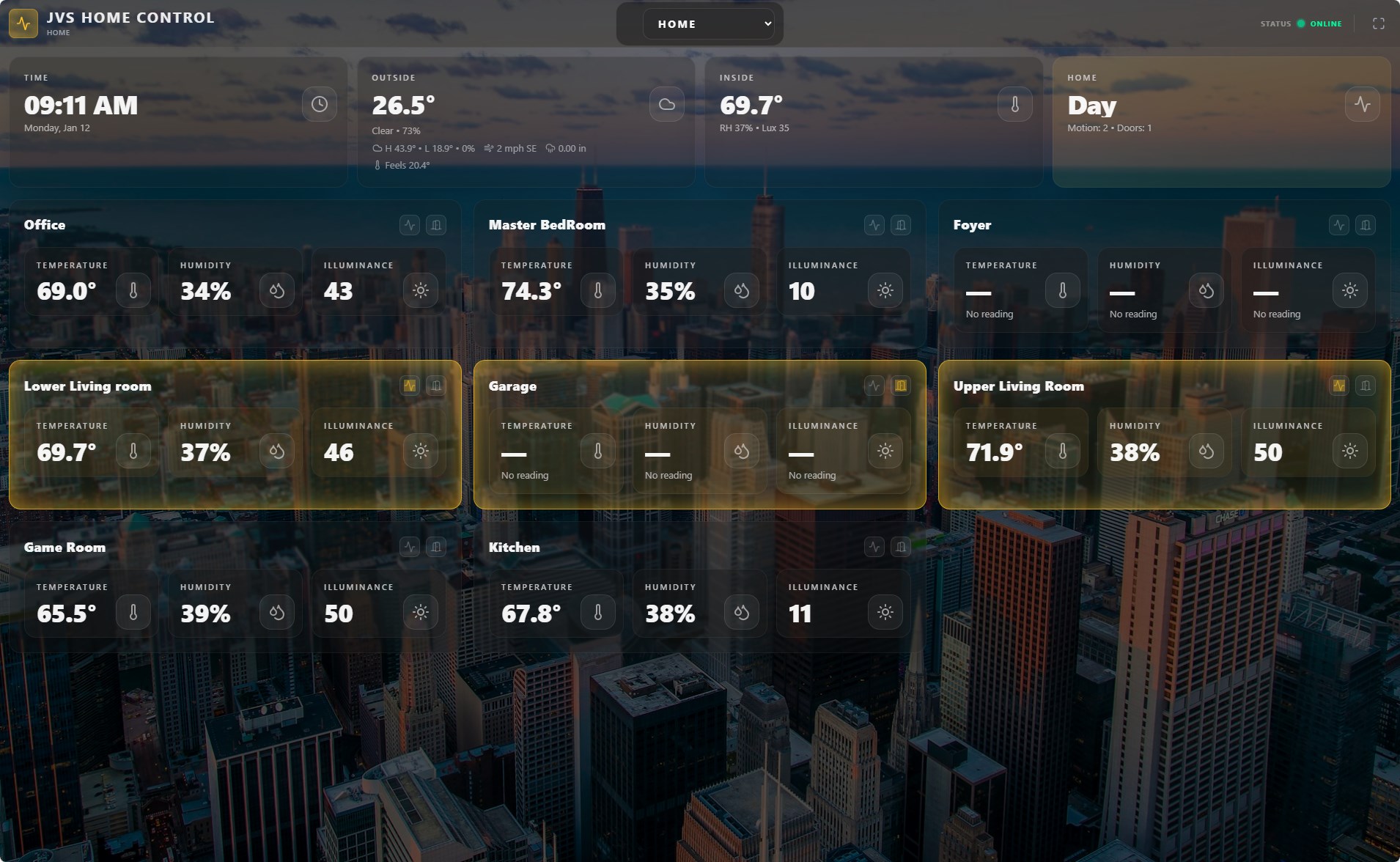
Every display gets its own profile — different rooms, backgrounds, color schemes, and layouts. Choose a preset or build your own.
Nine Purpose-Built Views
From at-a-glance monitoring to granular device control — each view is designed for a specific task.
Home
Room-by-room status — temperature, humidity, motion, and door sensors with visual alerts when something changes.
Controls
Dense device panel with animated toggles, color wheels, volume knobs, media transport, dimmers, locks, shades, and more.
Activity
Minimal event feed for phones and small screens. Motion and door events with configurable sound alerts.
Weather
7-day forecast via Open-Meteo. No API key needed — set your location in Settings and go.
Cameras Beta
RTSP camera feeds via HLS streaming. Snapshot and embed URL support. Works in any browser without plugins.
Floor Plan
Interactive SVG floor plan with sensor and device overlays placed on your actual house layout.
Heatmap
Temperature and humidity visualization across rooms. See hot and cold spots at a glance.
Events
Complete event log from your Hubitat hub. Filter and search device events in real time.
Settings
Full browser-based configuration. Hubitat connection, panel profiles, appearance, backgrounds, HTTPS — everything.
Configure Everything from the Browser
No config files. No SSH. The Settings UI puts every option at your fingertips.
🎨 22 Preset Themes
Curated profiles like Forest Morning, Ocean Breeze, and Midnight City ship out of the box. Each includes a background, color scheme, and tuned display settings. One click to apply.
📤 Background Upload New
Drag and drop your own images from the Settings UI. JPEG, PNG, WebP, and GIF up to 10 MB. Delete and manage from the same panel.
💡 Rich Device Controls
Animated SVG toggle icons, color wheels for smart bulbs, volume knobs, media transport, brightness and color temperature sliders — not just on/off switches.
🖥️ Per-Panel Profiles
Every display gets independent settings. The kitchen tablet shows 2 rooms; the control room shows them all. Different columns, text sizes, card opacity, glow, and blur.
🔒 Security & HTTPS
Self-signed certificates generated automatically. Upload custom certs from Settings. All inputs sanitized against injection. Your data never leaves your network.
🏡 Local-First Architecture
No cloud accounts. No subscriptions. No internet required. Runs on your LAN. Responds instantly. Works when the power company says so, not when AWS does.
Up and Running in 60 Seconds
One command installs everything. Open a browser and start configuring.
Install
Use Docker for the easiest setup, or run the one-liner on any Debian/Ubuntu machine. Node.js, ffmpeg, and the systemd service are configured automatically for Linux installs.
Connect
Open http://your-server-ip in a browser. Go to Settings → Server and paste your Hubitat Maker API details.
Enjoy
Pick a theme, choose your rooms, and mount a tablet. Devices appear automatically. Updates preserve your settings.
Requires: Hubitat hub (C-8 tested) · Linux server or Docker · Any modern browser
Full guides: Docker Setup • Linux Installation
Documentation
Comprehensive guides for installation, configuration, and advanced features.
Open Source & Community Driven
MIT licensed. Built by Jeremy Henderson at JVS Automation. Contributions, issues, and feedback are always welcome.